
Call of Duty: Modern Warfare 4 - Campaign Only
Nhà phát hành Activision và nhà phát triển Infinity Ward vừa công bố phần mới nhất trong series game bắn súng nổi tiếng Call of Duty: Modern Warfare với tên gọi Call of Duty: Modern Warfare 4. Trò chơi chuẩn bị ra mắt trên PlayStation 5, Xbox Series, Switch 2 và PC. Game hiện đã cho đặt trước trên Steam, Microsoft Store và Battle.net.
Cốt truyện của COD: Modern Warfare 4
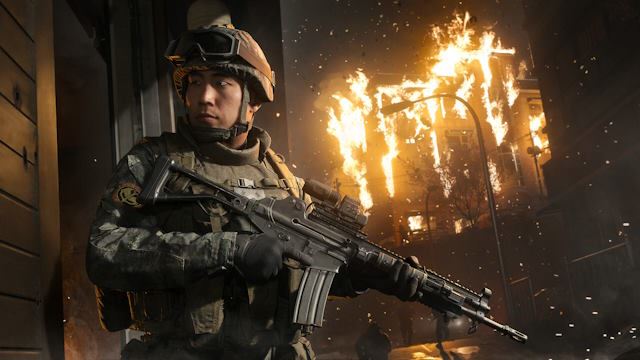
Game hành động Call of Duty: Modern Warfare 4 lấy bối cảnh chiến tranh bùng nổ trên bán đảo Triều Tiên. Một đội lính trẻ Hàn Quốc sẽ chiến đấu để sống sót trên chiến tuyến đang sụp đổ; trong khi ở nửa kia địa cầu, Đại úy Price đầy thù hận đang tiến hành một cuộc chiến cá nhân trong bóng tối, luôn đi trước một bước so với những kẻ đang truy lùng ông. Khi nhiệm vụ bí mật của Price đụng độ với các thế lực đứng sau cuộc xâm lược, cuộc chiến lan rộng vượt khỏi tầm kiểm soát của bất kỳ ai...
Modern Warfare® 4 đưa loạt game này vào một lãnh địa đen tối và nguy hiểm hơn, nơi hậu quả và sự leo thang của chiến tranh sẽ đưa các cốt truyện dài kỳ của Modern Warfare đến một cột mốc bùng nổ đầy mạnh mẽ và cảm xúc.
Cấu hình để chơi game Call of Duty: Modern Warfare 4
- Minimum:
- Requires a 64-bit processor and operating system
- OS: Windows® 10 64 Bit (latest update)*
- Processor: AMD Ryzen™ 5 1400 or Intel® Core™ i5-6600
- Memory: 8 GB RAM
- Graphics: AMD Radeon™ RX 470, NVIDIA® GeForce® GTX 970 / 1060 or Intel® Arc™ A580
- Network: Broadband Internet connection
- Storage: 115 GB available space
- Sound Card: DirectX compatible
- Additional Notes: *Trial, Beta or Insider versions of compatible Windows® operating systems may not be supported. SSD with 115 GB available space at launch.
- Recommended:
- Requires a 64-bit processor and operating system
- OS: Windows® 11 64 Bit (latest update)*
- Processor: AMD Ryzen™ 5 3600 or Intel® Core™ i7-8700K
- Memory: 16 GB RAM
- Graphics: AMD Radeon™ RX 6600XT, NVIDIA® GeForce® RTX 3060 or Intel® Arc™ B580
- Network: Broadband Internet connection
- Storage: 115 GB available space
- Sound Card: DirectX compatible
- Additional Notes: *Trial, Beta or Insider versions of compatible Windows® operating systems may not be supported. SSD with 115 GB available space at launch.
Mua bản quyền game Call of Duty: Modern Warfare 4
Nếu thấy game Call of Duty: Modern Warfare 4 hay thì nhớ mua bản quyền game ủng hộ nhà phát triển các bạn nhé. Bấm vào nút bên dưới để dẫn đến trang mua bản quyền.
Loạt game Call Of Duty
Kéo từ phải sang trái để xem


Các lỗi thường gặp khi chơi Call of Duty: Modern Warfare 4
-
Hướng dẫn khắc phục và sửa lỗi XINPUT1_3.dll
-
Hướng dẫn khắc phục và sửa các lỗi giải nén
-
Hướng dẫn khắc phục và sửa lỗi MSVCR110.dll / MSVCR100.dll
-
Hướng dẫn khắc phục và sửa lỗi VCOMP120.dll
-
Hướng dẫn khắc phục và sửa lỗi XAPOFX1_5.dll
-
Hướng dẫn khắc phục và sửa lỗi X3DAudio1_7.dll
-
Hướng dẫn khắc phục và sửa lỗi 0xc000007b
-
Hướng dẫn khắc phục và sửa lỗi d3dx9_43.dll
Diễn đàn Call of Duty: Modern Warfare 4
Mục này chỉ dành để nhận xét, đánh giá. Vui lòng bạn sử dụng mục Bình luận hoặc Diễn đàn để thảo luận, hỏi đáp, yêu cầu hoặc báo lỗi

-
cách fix lỗi access denied cho ae nào cần:
Xem thêm
Locate the !start_sp26.bat
Open with notepad and replace it with these prompt below.
@echo off
setlocal
:: Switch to script directory and ensure admin privileges
cd /d "%~dp0"
net session >nul 2>&1
if %errorlevel% neq 0 (
powershell -Command "Start-Process -FilePath '%~f0' -WorkingDirectory '%~dp0' -Verb RunAs"
exit /b
)
set DRIVERFILE=Randgrid.sys
set DRIVERNAME=atvi-randgrid_sr_offline
set DRIVERPATH=%~dp0%DRIVERFILE%
:: Grant necessary NTFS permissions so the D: drive file can be read by the system service
icacls "%DRIVERPATH%" /grant "NT AUTHORITY\SYSTEM:(RX)" /grant "BUILTIN\Administrators:(F)" >nul 2>&1
:: Register and start the driver if not already running
sc query %DRIVERNAME% >nul 2>&1
if %errorlevel% neq 0 (
sc.exe create %DRIVERNAME% type= kernel binPath="%DRIVERPATH%" >nul 2>&1
)
echo Starting Anti-Cheat Driver (%DRIVERFILE%)...
sc start "%DRIVERNAME%" >nul 2>&1
echo.
echo ========================================================
echo Anti-cheat is active. You can now launch your game shortcut.
echo Leave this window open while playing.
echo Press any key to stop AC and exit when done.
echo ========================================================
pause >nul
echo Stopping and cleaning up Anti-Cheat Driver...
sc stop "%DRIVERNAME%" >nul 2>&1
sc.exe delete %DRIVERNAME% >nul 2>&1
exit
Then Save the .bat File.
Step 4. Locate the X://Call of Duty - Modernwarfare 4/sp26/sp26-cod.exe
Step 5. Right click and created a desktop shortcut of the .exe file.
Step 6. Right click the desktop shortcut and click properties. On the target column add the "hdeyguxs3zaumvlgvybm2vyc" at the end. Give some space. Then click Apply.
BEFORE STARTING THE GAME.
1. Click the !start_sp26.bat first
2. Click the COD MW4 Desktop Shortcut.
Enjoy the game.
link video hướng dẫn
https://www.youtube.com/watch?v=tE5PN4ldZr4
-
link 4 bị lỗi rồi ad
-
có ai bị mất save game không cả nhà, mình chơi xong hôm sau chơi tiếp thì phải chơi lại từ đầu
-
có ai đang bị lỗi ko chơi được game ko mn ?
-
Mọi người thường lấy được link lúc mấy giờ vậy ạ,em không than vãn gì đâu chỉ là bữa giờ chưa lấy dc link+)
-
ad ơi up bản việt hóa đi ạ, mình hóng quá
-
có ai bị crash handler kh ah,cách fix sao thế ah
-
ad cho hỏi chơi bị mất save thì sao ạ
-
ad ơi có việt hoá rồi ạ, mong ad up việt hoá, cám ơn ad nhiều
-

có b nào bit cách fix texture xấu mặt dù để maxsetting k :v
60052
138
45