
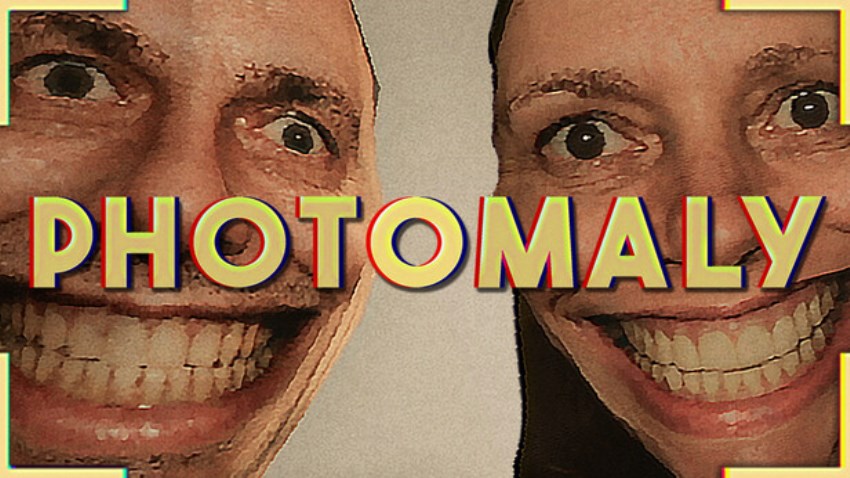
Photomaly is PSX-style first-person horror game where you take over the photography studio your father left behind. Process orders from strange customers, decorate your studio and keep an eye out for things that don’t seem quite right...

Photography isn’t always as simple as pressing the shutter. Find the perfect angle, develop film under the right conditions, prepare the final photos, and make sure they end up in the right hands.

Greet and serve the local community. Each customer comes with their own unique requests, quirks, and stories. Get to know your patrons and fulfil their orders. Just make sure not to pry too deep…

When business is slow, customise and decorate your workspace. Hang your favourite prints on the wall or create the perfect wallpaper for your PC. Use your profits to unlock and purchase studio upgrades – better equipment, better setups, better results.

Developing films pays the bills, but something isn’t quite right. With every photo taken, you get a little bit closer to [REDACTED]. The [REDACTED] seems to know some things as well…
Cấu hình để chơi game Photomaly
-
Minimum:
- Requires a 64-bit processor and operating system
- OS: Windows 10 64-bit
- Processor: Intel Core i5-6500 / AMD Ryzen 3 1200
- Memory: 8 GB RAM
- Graphics: NVIDIA GTX 1050 Ti / AMD RX 560
- DirectX: Version 12
- Storage: 2 GB available space
-
Recommended:
- Requires a 64-bit processor and operating system
- OS: Windows 10/11 64-bit
- Processor: Intel Core i5-8400 / AMD Ryzen 5 2600
- Memory: 16 GB RAM
- Graphics: NVIDIA GTX 1660 / AMD RX 580
- DirectX: Version 12
- Storage: 4 GB available space
Mua bản quyền game Photomaly
Nếu thấy game Photomaly hay thì nhớ mua bản quyền game ủng hộ nhà phát triển các bạn nhé. Bấm vào nút bên dưới để dẫn đến trang mua bản quyền.
Các lỗi thường gặp khi chơi Photomaly
-
Hướng dẫn khắc phục và sửa lỗi XINPUT1_3.dll
-
Hướng dẫn khắc phục và sửa các lỗi giải nén
-
Hướng dẫn khắc phục và sửa lỗi MSVCR110.dll / MSVCR100.dll
-
Hướng dẫn khắc phục và sửa lỗi VCOMP120.dll
-
Hướng dẫn khắc phục và sửa lỗi XAPOFX1_5.dll
-
Hướng dẫn khắc phục và sửa lỗi X3DAudio1_7.dll
-
Hướng dẫn khắc phục và sửa lỗi 0xc000007b
-
Hướng dẫn khắc phục và sửa lỗi d3dx9_43.dll

5560
0
5